Today, Google released its open-source browser called Google Chrome to the world, after making us feel in 2006 that it was an April Fool’s Joke. Yesterday, in an announcement, it disclosed the features of Google Chrome and claimed that we require a new browser because the web has changed. As soon as it was released, I downloaded it and here are my observations after using it for the last 4 hrs.
The first thing you notice is that it’s an online installer and still requires ~450Kb (for comparisons: utorrent is half the size and can download the whole world for you!!) . It’s only released for Windows at the moment and will require sometime before its released for Linux. The online download was pretty slow for my connection, but I realized that may be half the internet users were downloading it and that can be daunting even for a biggie like Google.
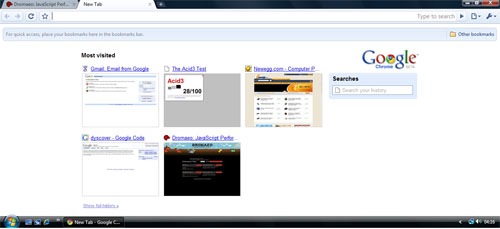
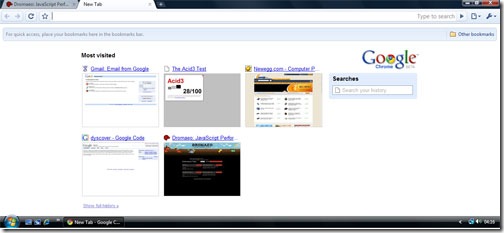
Finally the downloader finished and I was ready to surf on Google Chrome. First thing you’ll notice that it occupies nearly all available screen space. No menubar with File, Edit and the like!! And there is the Opera like UI with SpeedDial for most visited websites and Search History. Also the Address Bar is pretty efficient with all the quick searching and intelligent suggestions.
I was expecting Chrome to be memory hog, but it really is pretty light on the memory usage. With less than 10 tabs open, it surely uses less memory than Opera, Safari and surely Firefox. As the tabs increase Chrome seems to take up as much memory as other browsers. The Browser TaskManager, which can be found when you right click on the open Taskbar or TitleBar is another very useful addition to the browser. But what’s interesting to note that with so many security and stability improvements like separate processes and JavaScript sandbox, Chrome has done an excellent job at keeping the memory usage low. May be if addons are introduced, it’ll screw Chrome as well, but for now it’s doing good!!
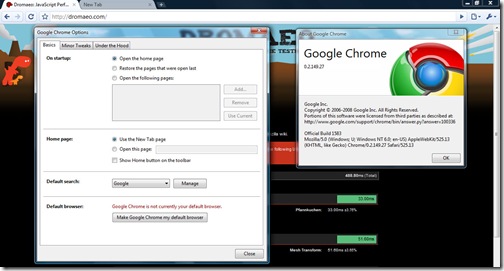
There aren’t many things to be set in the Options that other browsers don’t have, but the search management was interesting. Since, I am from India, it showed me the popular Indian search engines. Yahoo India, MSN India, Rediff, Guruji were the available search engines and that was interesting because it’s always efficient to have a localized search.
This in my opinion is the most important part for a web browser. Like a phone should be best at voice transmission and quality, a browser should be best at displaying websites accurately and swiftly. Chrome uses Webkit (aka Apple Safari’s Engine) for rendering web pages and I wasn’t expecting many differences from Safari. But I found a few changes between the released version of Safari and Chrome. May be Chrome uses a newer version or something. Chrome scores 76/100 on the ACID3 Web Standards test which isn’t really bad, but I was still expecting 100% as Webkit and Opera have already reached 100% in their development products.
JavaScript performance is super fast. You can look at the benchmarks here. The team from Denmark has done an awesome job and Chrome's JavaScript performance is the best among all the browsers.
I'll write more about it later... but you can read what other people at GigaOm, TechCrunch, TheInq and Gizmodo are saying. Its all over the web and no kidding Google OS is really here to stay!!