Showing posts with label openmrs. Show all posts

Thursday, September 1, 2016

Running lh-toolkit 1.x on MySQL 5.7

MySQL 5.7 by default uses sql_mode where no zero in dates or zero dates are allowed. Where as by default the timestamp uses 00:00:00. MySQL 5.7 by default uses ANSI standard GROUP_BY clauses, that were not required for previous versions of MySQL.
The best way to fix this across sessions is to add the following to my.ini or my.cnf depending on your platform. For Ubuntu 16.04 this is located at /etc/mysql/mysql.conf.d/mysqld.cnf
sql_mode=""
In the setup wizard for the URL use:
jdbc:mysql://localhost:3306/@DBNAME@?autoReconnect=true&InnoDB=InnoDB
Basically, the connection needs to have the text InnoDB in it, so that openmrs doesn't try to set the storage_engine variable, which has been changed to default_storage_engine. But that itself is not required because it should be left upto the database implementer to choose the engine. It could be XtraDB (Percona's fork of InnoDB) or Aria (used in MariaDB).
Once these are done, you should be able to use MySQL 5.7 (and its excellent performance improvements) with lh-toolkit or OpenMRS 1.11.x and higher

Thursday, March 21, 2013

Shout or Leave? - Open-source community governance

I’ve often thought that open-source contributions are towards “social good”, but I also realize it is a fairly naïve way to look at the open-source world. I was listening to a friend’s frustration of getting people to work together. She is a social worker and now in a political party is trying to make people work together to do “social good”. Participating closely in 3 fairly large open-source communities and following a few others closely, she asked me how I saw it works in the world of open-source. That’s where I thought it might be good to post my thoughts.

Open-source in its literal definition is just putting your code out. Doesn’t mean anything more. Thoughequality-vs-justice we have associated a few implicit connotations with the concept. Particularly, that there is an open, bazaar-like mode of working, which can be thought of as similar to the concept of democracy. But as we can see from the political conditions in different parts of the world, democracy isn’t one single thing. It is indeed a group of people working together towards a common goal, ideally each person having an equal weight of vote. But as the world is not idealistic, the more pragmatic meritocracy is acceptable. The open-source world looks at meritocracy through a number of aspects like code contributions, advocacy, documentations etc. with the general focus being towards getting work done. Yet, most research and discussion around open-source misses out on the aspect of power, tradition and culture of the communities that political scientists and sociologists have talked about for a long time. Open-source communities like other human networks have a vision of meritocracy and sometimes evangelize this vision, but often find it hard to practice.

Some open-source communities do have a BDFL, while others generally play by the resources rule. Resources include money, people, ideas and the group that possess these are generally considered more powerful. Some companies because of their “cool” products automatically make “cool” suggestions to the community and their work is “cooler” than the average contributor’s work. Because a developer works for a “cool” company, does not necessarily mean that every developer from that company has better skills than your average contributor. Some open-source communities value context-of-use, while others value “de-contextualization”. Many researchers have highlighted that domain-specific open-source software communities are better suited by being contextual. While, this challenge of being contextual and translating the contextual knowledge to a de-contextual developer, is also well studied, it is really not well enacted in domain-specific open-source community governance. Governance relates to decisions that define expectations, grant power, or verify performance. It consists of either a separate process or part of decision-making or leadership processes. Thus, when the next time you read about OSS 2.0, realize that governance plays a vital role in the challenge of domain-specific open-source communities.

Open-source communities are typically expected to work around an open-source license, some code of conduct pages and roles of developers. These alone, as we see from functioning democracies is fairly inadequate – judiciary, legislature, and executive. Media is often considered the 4th pillar of democracy. A vehicle that allows voices to reflect on how the other 3-pillars are doing. Good governance often comes from the fact that reflective voices are heard, understood and acted upon.

Yet, power plays an important role in sustainability or growth of a community. As an independent contributor (just as a citizen in democracy), one can either look at the power play, raise voice so that others see it or get fed up and leave.

Saturday, March 2, 2013

Alter Table for column with Foreign key in MySQL 5.6 Fails

Oracle released the much awaited MySQL 5.6 GA on 5th Feb, 2013. Much to everyone’s surprise and mysqlchanging direction in some sense, lots of improvements were made available in the Community release of MySQL, which were expected to be only part of the Enterprise Edition only.

Eager to try out the new NoSQL and performance improvements in 5.6, I downloaded the new installer. It is a packaged installer than unpacks and installs connectors, workbench and few other things along with the MySQL 5.6 Server. A surprising place where I got stuck was trying to install OpenMRS. The liquibase changeset uses <modifyType> tag and attempts to change the varchar column size. This works well under MySQL 5.5, but fails in 5.6.

While I’ve tried searching for this change in the release notes, what’s new and few other places, I haven’t found this mentioned clearly for the MySQL 5.6 release. The problem is that earlier you could disable the foreign key constraints check, modify the columns that have the constraints and re-enable the foreign key checks. If you changed the columns on both ends fine, things would just work well. But in 5.6 it seems there has been a change to this and the only mention I’ve found is new error messages that the server can throw. There is probably some tighten of things around the constraints management, but I couldn’t find much.

Here are the server error messages from MySQL 5.6 and MySQL 5.5:

http://dev.mysql.com/doc/refman/5.6/en/error-messages-server.html#error_er_fk_column_cannot_change
which wasn't there in:
http://dev.mysql.com/doc/refman/5.5/en/error-messages-server.html

Thursday, January 26, 2012

Why REST with JSONP when you can CORS?

JSONP (JSON with padding) is a hack used by JavaScript developers by wrapping a JSON (JavaScript Object Notation) document within a function call. So, if the JSON document looked like {"givenName":"John", "familyName":"Smith"}, the JSONP for the same would be callback({"givenName":"John", "familyName":"Smith"}) (callback being the commonly used wrapper function). So, if you are familiar with JSONP, you will realize that it is used to make Cross-Domain calls where JSON is not accepted by the browsers if they come from another domain. Thus, AJAX requests across a different domain was not possible through JSON and hence using JSONP was the common hack.

The problem with using JSONP is that it is called as a JavaScript function response and hence CORS-supportyou will not be able to use it as normal HTTP calls. That means you would not be able to send HTTP headers and that can be a problem at many places. There are hacks to deal with the problem, but these are best described as hacks. Another limitation of the JSONP hack was that you could only make GET requests and nothing more. Hence to make a standard, W3C created the CORS (Cross-Origin Resource Sharing) standard which nearly all modern browsers support.

The main issue with using JSON or AJAX (XHR – XMLHttpRequest) across domain was that browsers would not be able to acknowledge if the response was malicious or in response to the request that they made. The same-origin-policy, prevented making cross-domain requests. Then came CORS, a technique by browsers to check the origin policy first and then accept responses. So a server that wants to allow getting any type of HTTP request from another domain would list the domain or * in its HTTP response header as follows:

Access-Control-Allow-Origin: *
Access-Control-Allow-Origin: http://example.com:8080 http://foo.example.com

This means that there is some modification to be done on the server-side resource to add these headers to the response. Another point to note is that it works with XHR requests as well as client errors (4xx) and server errors (5xx).

Excellent examples on how to use CORS can be found at HTML5Rocks. On the server-side of things, you can find resources to enable CORS.

In Tomcat for a Java web application, you can enable CORS using the CORS Filter library. Basically you copy the jar file into Tomcat lib or WEB-INF/lib of your application and then add filters in your application’s web.xml or tomcat’s global conf/web.xml. For a resource which requires Basic Authentication and Cookies can be configured as follows:

<filter>
<filter-name>CORS</filter-name>
    <filter-class>com.thetransactioncompany.cors.CORSFilter</filter-class>
    <init-param>
     <param-name>cors.allowOrigin</param-name>
        <param-value>*</param-value>
    </init-param>
    <init-param>
     <param-name>cors.supportedMethods</param-name>
        <param-value>GET, POST, HEAD, PUT, DELETE</param-value>
    </init-param>
    <init-param>
     <param-name>cors.supportedHeaders</param-name>
        <param-value>Content-Type, Last-Modified</param-value>
    </init-param>
    <init-param>
        <param-name>cors.exposedHeaders</param-name>
        <param-value>Set-Cookie</param-value>
    </init-param>
    <init-param>
        <param-name>cors.supportsCredentials</param-name>
        <param-value>true</param-value>
    </init-param>
</filter>
<filter-mapping>
        <filter-name>CORS</filter-name>
        <servlet-name>MyServlet</servlet-name>
</filter-mapping>

Instructions for Cookies in Safari can be challenge. A nice post to workaround can be found here.

Saturday, January 7, 2012

EMR at JSS Bilaspur – In pursuit of happyness

Over the last 3yrs, I have travelled across the world and looked at 100+ health facilities of different scales. My last encounter with a health facility in rural Bilaspur was very different. Having looked at systems of practice in a variety of health facilities including subcenters, private clinics, primary health centers, community health centers, district hospitals, tertiary hospitals and super-specialty hospitals, each of these places have different characteristics. What makes Jan Swasthya Sahyog (JSS), situated in rural Bilaspur in Chattisgarh special is the motivation levels among all the staff at the health facility. This includes clinicians, nurses, technicians and computer operators… And the motivation of these people stems from the fact that they still believe in care, rather than just providing health services. I use “still” because in my worldview of health facilities, most often I see people missing out on the “care” from the notion of health-care.

My visit to JSS was for volunteer work that I have been doing over the last few months to see an Electronic Medical Record (EMR) system to be setup at JSS. Over 100 volunteers across the world have come together in this pursuit to build an EMR system that is easy to use, suited to low-resource settings and can help improve work of the providers as well as help provide better services to patients. JSS was founded 15yrs back by post-graduates doctors of All India Institute of Medical Sciences (AIIMS), India’s most prestigious medical school and hospital to provide healthcare to people who are deprived from it because of poverty, neglect and lack of development. And when I visited JSS on Christmas 2011, I could see the savior work done by JSS for the many people who come from far-flung places because they are treated with dignity and care.

The EMR system broadly from interviews and discussions with some doctors, nurses, other staff and my interpretation of the context needs to do the following:

  1. Help to improve efficiency in use of resources and providing patient care
  2. Help to maintain correct medical practices through validations
  3. Help to understand who, what, why is being treated at JSS

EMRs or for that matter any computerization process advertises many-fold benefits. Technology is most often considered the silver bullet that will solve all problems. From my experience this is rarely the case. So these 3 points might provide a guiding path to decisions that we make in the design of the EMR. In the design of the EMR, just like JSS we have to put “care” at the forefront of our efforts rather than technology prowess. Thus, this system is envisaged to be a point-of-care systems where providers will look up records and use the system to provide “care”.

The other very unique thing about JSS is that is it rooted in the locale of the context. Having seen other health facilities setup by “change-makers-coming-from-the-outside”, JSS is uniquely very much part of the context. This is one of the reasons I see why people come from more than 100kms away to JSS for treatment. People view JSS as locals and one among their own. This is one aspect that I think the EMR system should incorporate. It should embody in itself the locale. By locale, I mean the local practices, language, usability… among other things.

I would say we have some lofty goals for the EMR. One that the project lead calls as “Linux of EMRs”, but in my opinion even if we achieve more humble ends, like not causing burden to providers and patients that would make me happy. It is this pursuit that drives me to work towards this cause. I call it a pursuit because I realize this is not something that is a stagnant phenomenon. It will change with every small change that we make. Every morning it is this pursuit of happyness that drives me to understand what an EMR system would be of use at JSS.

Saturday, August 7, 2010

Tabbed Interface to OpenMRS Global Properties

I’ve always hated to scroll through long lists when trying to find the thing I’m looking for. Computer interfaces which are designed as long list and give you a hard time to look through all of the things without a filter is definitely bad design. But even with a text field filter, long lists take a lot of time to load... The two applications that I’m working with these days, OpenMRS and DHIS2, both have these long lists that in my opinion are a pain to use.

The DHIS2 uses lists for data elements, indicators, users and these are not divided into pages. There is a text filter, but the time it takes to load the page when the list is long is excruciating. One of the recent examples, where we had over 5000 users in DHIS2 Punjab mobile application, it was excruciatingly slow to load that list of users. And then finding through that list to change anything is also quite slow and painful.

Similarly in OpenMRS, one of the things I often use for our modules is the global properties. Modules can use the global properties infrastructure to store options and it is a quick solution when you want to store some settings that can be configured by the user for your module. But as the number of modules or the number of options in a module increases, it becomes a pain to search the exact option from that long list of options. It also does not have a text filter, but you can always use the browser search to reach what you are looking for and text filters, don’t really solve much. Infact, may be the text filter in your application does not have a shortcut, while Ctrl+F would quickly give you a browser search text field.

Nevertheless, a quick hack by our developer Viet Nguyen (the JavaScript Ninja), was an OpenMRS module called moduleoptions. This is his first module, just to understand the OpenMRS framework and to me is quite a useful thing. It divides the global properties in tabs and makes the properties more manageable in my opinion. It provides better management to the long list of global properties and looks more convenient to use. It was developed in a few hours time and is definitely something that I would want to see as default when managing global properties. Below is a screenshot of how the global properties looks now:

module-options-screenshot

Wednesday, August 5, 2009

“Garage model” Leprosy MIS

While the world’s managers and venture capitalists have lost faith in the “garage model” of business, I am still a firm believer that the best innovations come from individual efforts and not concentrated directional movement in large organizations. Today, was yet another day in the field showing how homebrew software has innovations that many large software suites lack.

Just to give a background on what I’m talking about - a product that I’ve been working on lately is a patient-tracking system for the National Leprosy Eradication Programme. Since DHIS2 is the widely deployed HMIS application in India and aggregated reports for the Government of India are generated through DHIS2, we needed some kind of patient-tracking, yet required aggregate numbers of these patients through DHIS2. For this purpose, the most ideal way we found out was using OpenMRS for the patient-tracking and then generating reports through DHIS2. Thus, we are able to create rich and generic medical records of a leprosy patient, which can later be used not just for leprosy patient care, but future medical treatment of the person for any other disease or health service provisioning.

But today when I arrived to demonstrate this system in Maharashtra State Health Society, I was pleasantly surprised to see a homebrew application. We finished our presentation on the system, demonstrated the application, decided upon pilot process, future meetings and the whole process before we can go live with the system state-wide. Just after we finished our stuff, one of the leprosy health officers told us that he had privately worked on something that was suited for the NLEP program. Most people just ignored his comment, but I was eager to see what he had developed.

And when I saw his application, I was very much stunned. A really nice and intuitive user-interface using Adobe Flex, neat use of data using good-looking reporting and visualization tools, basic reports using excel sheets and a neat-little data model, similar to the ideas in OpenMRS. Maybe the data-model is not suited to a medical records system like OpenMRS, but it very well met the requirements. From what I learnt, it was developed in about a month’s time by one developer, who happens to be the son of this medical officer.

“Commendable effort and nice design decisions”, is what I complemented the medical officer. But what got etched in my mind is that, some best software are written in “that car garage” on a single computer.

Wednesday, November 19, 2008

Continuous Integration System Roundup

Continuous Integration Systems are one of the most important tools for agile software development. They automate the process of building and testing. A lot of people seem to have realized their importance and there are quite a few products in this arena. I already used Hudson and CruiseControl, but for OpenMRS we need to find one which is best suited to our needs. So I started out about 3 weeks back to create this roundup of continuous integration servers. This should be a useful roundup for any project with similar requirements.

Why does OpenMRS need a Continuous Integration System?

Any software development effort needs to take care that regression doesn’t happen with new code changes. Often a change in the API/module core results in breaking of modules dependent on an earlier method. A Continuous Integration System will rebuild OpenMRS after a change is committed and provide information on how that change is affecting related code.

OpenMRS would also benefit from an easy to understand UI that Continuous Integration Systems provide for number of failing tests. The number of passing or failing Unit Tests will indicate the quality of a build and help implementers/testers realize the stability of a build. We can also set some goals on how many test methods we need to write before an API method can be finalized or deprecated.

The work done in different branches and modules can be monitored and looked at easily by the community.

Building of OpenMRS Installer using NBI can be automated and new users can directly test with the latest build of OpenMRS using the cross-platform installer.

Thus to summarize, a continuous integration system will bring better release quality, more transparency, quicker bug finding and fixing, simplicity and TDD frame-of-mind.

Disadvantages for OpenMRS in using Continuous Integration System

  • Additional Load on Servers
  • Not every developer is motivated to write unit tests ;-)

Features that OpenMRS needs (Not exhaustive)

  1. Easy to monitor tests and easy to understand dashboard
  2. Support for SVN and Ant
  3. Dependency integration
  4. Email/RSS/IRC notifications when a build fails or bad code is committed
  5. Warning flags when a committed code doesn’t follow coding rules (naming, newline format,etc.)
  6. Allow code committers to modify build and test parameters from the GUI
  7. Optimal Performance
  8. Price & Open-source development

Comparison of Continuous Integration Systems:

  CruiseControl Continuum TeamCity Bamboo Hudson
Monitoring UI Dashboard introduced since v2.7 is not intuitive Dashboard only shows tests Advanced UI & dashboard. Advanced UI, Detailed reporting out-of-the-box, Intuitive Simple Dashboard, Plugins enhance reporting, Intuitive, somewhat detailed
SCM Support All Support SVN
Dependency Integration Scripts need to be written for each new dependency. Tracking different versions of dependency jars is very complex Easy for Maven2.0+ projects, but not so easy for other types of projects Dependency can be managed easily. Advanced UI for dependency management Dependency management is easy and intuitive. Different versions of same library not automated. Creating test/build plans allows dependency of different versions Dependency management is easy to configure. file fingerprinting simplifies identification of different versions. Automatically can detect and build project dependencies
Email/RSS/IRC Emails. Plugins - RSS, blog, IM with Jabber Email, IRC, IM with Jabber, MSN Email, Jabber, RSS, external HTML widget Emails, RSS, IM Notification using Jabber or OpenFire Plugin – Emails, RSS, IRC, Jabber, Google Calender, Twitter
Code Quality and Patterns Not very easy to define Could not find a way Can be defined with plugin for IntelliJ IDEA Managed through test plans. Manual test plans have to be created Plugin provides UI. Test plans can be created manually out-of-the-box
Security and User Management Easy to configure with different roles Roles can be easily defined Roles can be easily defined Simplistic UI for user build plan management. Easy integration with JIRA Easy to configure roles for users
Performance Fast Fast Somewhat slower in comparison, but includes a lot of features Fast in build and integration. Slightly slower in reports. Includes lots of features that may not be used. Distributed builds with slaves speeds up performance Comparatively lightweight out-of-the-box, but requires plugins. Distributed builds with slaves speeds up performance
Pricing Free & OpenSource. Paid version called Cruise available. Free & OpenSource Professional version is free, but enterprise is paid Free for opensource projects Free & OpenSource

Wednesday, September 3, 2008

A Look At Free/OpenSource Cross-Platform Installers

Software Distribution is an essential part of Software Development and can sometimes be the first impression that can make or break the user's opinion about a software. We, as software programmers forget the importance of easy distribution and easy installation of software that we develop. We do not understand the problems that a new computer user or a non-programmer may face. And I experienced this first hand about 2 weeks back, when a physician friend of mine heard that I was working on OpenMRS.

I was lucky enough to work on OpenMRS this summer and learnt a lot more about Medical Informatics during this period than I expected. Hearing this, my friend openrmswanted to install OpenMRS at his clinic which already used Tally (hehe... isn't that innovative??) for storing patient records, observations and prescriptions. He practices at Kolkata, visits different hospitals and sometimes the patients he attended at a hospital come to his clinic. When I told him that OpenMRS was a webapp, he got all excited and I narrated him all the features that OpenMRS could provide and help him manage his patients better through the web, only if he could host OpenMRS from his clinic. I'll skip the other interesting parts and his extra-terrestrial expressions ;-), since we are actually talking about software distribution.

So then came the day when I was about to leave office and he was in his clinic trying to install OpenMRS. It was Independence Day and the clinic was closed but he was excited to experience the new-age medical informatics :-)) When I first got his call he had downloaded the Windows Installer. I was pretty sure it was for an older version and hence told him to instead download the OpenMRS Appliance, which is a VM Image that can be run from one of the virtual machine softwares. Yaw Anokwa made this wonderful Virtual Image with Ubuntu + All Necessary Stuff (tomcat, mysql, demo data) and OpenMRS running. You just have to have VirtualBox or VMPlayer or VmWare Workstation and load the VMimage and wait for Ubuntu to start. It is simple, fast and safe to play with... But for novice users, I just realized it wasn't easy enough. My friend installed VirtualBox and loaded the image. It booted fine, but the network wasn't working and OpenMRS webapp could not be reached from the Windows host. After being on call for close to an hour, we just couldn't make the networking work!! I advised him to install VMPlayer instead and run the image. This time everything ran fine, but some changes had to be made in the Norton 360 Firewall. He kept complaining that Windows XP was punishably slow and then I realized that his 512Mb wasn't enough to virtualize :-( ... So we were back to where it all started!! The Windows Installer that OpenMRS distributes is based on Bitrock. He first tried the OpenMRS 1.1 Installer, but it is an older version that hasn't been upgraded for a year or so... Everything installed fine and he was happy to use it, but it didn't have the features I talked about that were added in newer releases of OpenMRS. I walked him through the manual installation and finally we managed to get OpenMRS up-and-running at 2am in the morning and he having spent about 8hrs on it. Last week when I asked him, he still wasn't using OpenMRS for his clinic and hospital. May be the first experience made him bitter!!

With that episode in my mind, I pledged him that within the next month or so I'll give him and easy to install setup and he'll be happy using OpenMRS. And that's when began my chase to find an easy to use, cross-platform installer framework. OpenMRS has lots of implementations on different platforms (Windows, Linux and Mac) and hence I wanted the installer to be cross-platform. At my office, we generally use Windows Installer or NSIS for making installers. But those are only for Windows. These 2 frameworks are so simple and extensible to use that I was thinking if there was something similar and cross-platform, I could make an OpenMRS Installer in an hour. But sadly, that wasn't the case... I tried a variety of installer frameworks, but couldn't find any of them as simple as NSIS or Windows Installer (msi). The following are the installer frameworks I tried working on:

Installer Framework Short Description Problems
1.) Antigen Antigen (Ant Installer Generator) is a tool to take an Ant build script, combine it with a GUI and wrap it up as an executable jar file. Its primary purpose is to create powerful graphical installers from Ant scripts. Couldn't get it to execute ant-calls at lots of places. Didn't work in openSuSE 11.0 due to some incomplete ant configurations. Hasn't been updated in a long time
2.) IzPack IzPack-generated installers require Java. They are simple, efficient and fast to use. Simple executable deployment is best done through IzPack. Isn't very powerful. Good for simple image deployment, but isn't highly configurable and powerful.
3.) OpenInstaller A newer cross-platform installer framework that is completely customizable and written in Java. Glassfish uses this installer framework. Not much documentation. Complex to implement and doesn't look native on all platforms
4.) Netbeans Installer (nbi) A completely customizable and powerful installer framework. Configuration Logic is written in Java and can be used to do anything and everything that Java programs can do. Old documentation. Requires some effort to get up and running with all the scripts.

So finally, I decided to work on using the Netbeans Installer. Netbeans Installer already has components like Tomcat, MySQL, Glassfish, OpenESB and their deployment scripts. And I thought it will simplify my effort... Dmitry Lipin of Sun Microsystems, the lead developer of the NBI team has been of great help over the past weeks and has helped a lot in explaining about nbi... While I was building the installer, 2 other colleagues of mine got interested in OpenMRS and have helped build some parts and want to contribute to OpenMRS code in a larger way!!

I have successfully been able to build an Installer/Uninstaller that can deploy Tomcat/Glassfish, MySQL and the OpenMRS web application on Windows, Linux, OSX, Solaris. The demo data set, JRE/JDK and starting the respective servers are yet to be completed.

Update: The OpenMRS Windows Installer based on Bitrock has been upgraded to install the latest version of OpenMRS. Is it useful for the OpenMRS community to have a cross-platform installer?? Or do the Windows guys only need an Installer ??

Thursday, June 26, 2008

Barcode Fun With OpenMRS

The Registration Module is supposed to generate Barcode images that will be printed on stickers and given to patients on their ID cards. This will help easier logo  identification of patients and quicker patient registration. For this purpose, we use the “Patient Identifier” to create barcodes. The “Patient Identifier” is hopefully unique and will help create bug-free barcodes.

Barcodes have a lot of different standards like Code39, Code128, UPC-A, UPC-E etc. Each of these standards were designed for a specific industry and application. And the Registration Module should support different standards so that it can be easy for the implementers of OpenMRS to choose any standard that they want. Thus, began my journey to find a way to generate customizable and easy barcodes.

Having just finished with the commit for the barcode generation in my registration module, I am extremely happy to say that Barcode Generation through the Registration Module is very easy. Still have to implement a print dialog box, but then the way to generate barcode is done through a pre-built servlet... I used an open-source barcode library called Barcode4j, which can generate barcodes in a variety of standards as well as image formats.

Barcode4j is an excellent library and after comparing about 15 different barcode libraries, I found it to be the most easy-to-use and extensible. Barcode4j already provides a Java Servlet which needs to be passed different parameters and it generates the barcode image “just-like-that”. The only thing I had to do was create a mapping for the servlet in the modules “config.xml”.

And that was it... Those nice black lines were shown on screen beside the patient search results. Now I needed to see if the barcodes are accurate and working. I took a printout of the image and scanned it through the barcode scanner. Hurray!! It worked!! And thus I realized that the servlet was accurately creating barcodes. Now moving onto creating a nice AJAX print dialog and probably some useful UI for creating identity cards.

Monday, June 23, 2008

Review: openSuSE 11.0

On the 19th of June 2008, openSuSE 11.0 was released and I was very excited about the new release because my experience with openSuSE 10.3 has been very good and I have been following the development of openSuSE 11.0 closely. In the meantime, I have tried Ubuntu 8.04, Kubuntu, Fedora 9, openSolaris 2008.05, but somehow I’ve been coming back to openSuSE 10.3 because of some or the other nagging problem with the other distros...

Download

I downloaded openSuSE 11.0 the moment it was released and I have to say that the release was very professionally co-ordinated. There were launch events all around the globe where people received their openSUSE 11.0 DVDs and with the counter running all the time, everyone knew when to get their download managers ready. The mirrors were fast and the torrents seemed to have enough seeders. I finished the 4.3GB DVD iso by 20th morning (IST) in just about 4hrs time. There is also a single Live CD KDE iso, GNOME iso as well as a MiniCD (71 MB) for Network installation...

Installation: Image-based Deployment and Sleek

The openSuSE site has a nice installation guide with screenshots and it doesn’t make sense for me to go through the same thing again. But two things are special in openSuSE 11.0 that are worth mention. The first is that they have a gorgeous installation GUI, the best looking installation for any operating system ever!! Its easy to install and intuitive. The second the use of image deployment for the installation of GNOME. This really speeds up the installation if you are just using the basic GNOME-based setup. I generally prefer KDE, but for the test I installed the GNOME and it was fast... really really fast! I was shown the GNOME desktop with all the preferred software installed in straight 15 minutes. That’s faster than any other distro that I’ve ever installed. It was an amazing experience to see such a fast installation!
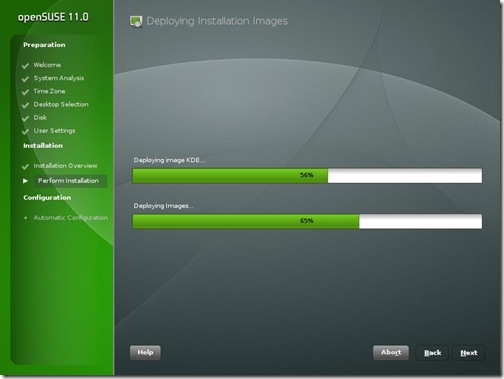
SuSE11-ImageDeploy

Like previous version, openSuSE 11.0 comes with a variety of useful non-opensource software like flashplayer, java 1.6.0_u6, fonts, Adobe reader 8, etc. Along with these I also installed Jdk6 update 10 (the awesome new Java Plugin), Mono, Netbeans 6.1, GlassFish for my OpenMRS performance test... KDE 4.0 is also there as a separate choice of GUI when installing along with KDE 3.5.9, GNOME 2.22. Since I have never been able to stably run KDE 4.0 and have always switched back to KDE 3.5, I thought I’d try KDE 4.0 in openSUSE 11.0
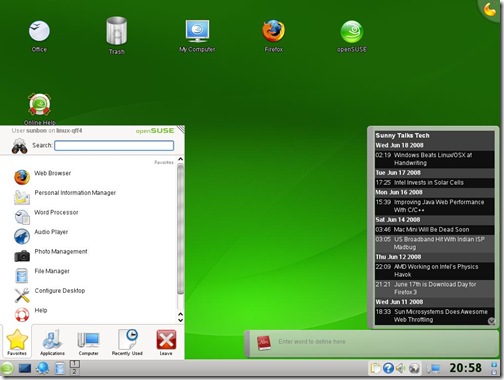
SuSE11-KDE4

I was pleasantly surprised that KDE 4.0 “just worked”. I had my first KDE 4.0 crash after 1.5 hrs of use whereas earlier it was before 20 min that the SigEnv or Segmentation Fault would throw up. I still didn’t want any crashes and hence I’m back to using KDE 3.5.9. But KDE 4 is really coming good!

As soon as I finished installing, everyone at home wanted me to record the Euro 2008 matches and soon I needed VLC to be installed. I went to videolan.org/vlc and clicked on the SuSE link... and I was greeted with a 1-Click Install button.

SuSE11-VLC-1Click

This was one of the really awesome openSUSE things that was first brought in openSUSE 10.3 and has been improved in openSuSE 11.0. I clicked on it and the installation was finished really quickly.

Improved Installation with YaST

That’s when I realized the most important update to openSuSE 11.0 which is the improved speed of YaST. No other distro has such an easy administration tool where nearly everything can be administered. And in openSuSE 11.0 everything in the YaST module just works. RPM installation is fast and adding community repositories is easy. I am a big fan of apt-get in Ubuntu, but openSUSE 11.0 software installation is just as easy now...
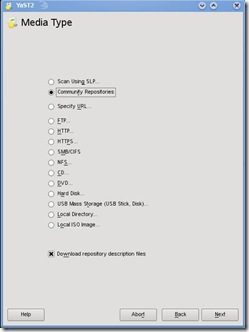
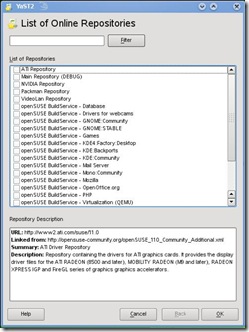
SuSE11-CommunityRepo2 SuSE11-CommunityRepo1

Every piece of hardware worked

I have lots of hardware, old and new on which I often install and test different distros, Windows, OSx86 etc. openSuSE worked with every bit of hardware that was thrown at it out of the box. Every distro struggled with the UMTS 3G card on a laptop, but surprisingly openSuSE 11.0 made it work. Few other distros had trouble with the legacy Nvidia Quadro GoGL card on another laptop, but openSuSE 11.0 worked... Old printers, USB devices, Firewire everything worked. Even the Barcode Reader with PS2-USB converter worked on the USB port which wouldn’t work on Ubuntu 8.04 or other newer distros.

The only change was that on my desktop Intel DG965RY board the surround sound wasn’t working. I followed the Audio Troubleshooting doc, added the model=dell-3stack and all my speakers started trumpeting!

Compiz-Fusion and the Bling

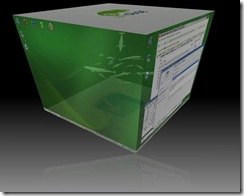
Last time I was not happy with the stability of Compiz-Fusion on openSuSE 10.3. For Ubuntu 8.04, Compiz-Fusion worked well and so I knew it was something to do with the new kernel module driver on my system. With openSuSE 11.0, Compiz-Fusion works perfectly and is able to show all its features. A nice little configuration screen helps manage the amount of effects that you wish to enable. I personally don’t enable effects, but its a good show-off to make people standup and appreciate open-source beauty.
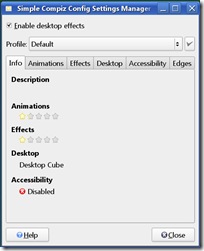
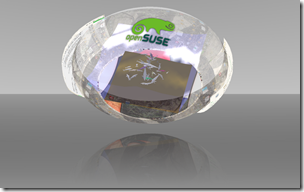
SuSE11-Compiz SuSE11-Sphere

Other features and improvements

  • Linux kernel 2.6.25
  • glibc 2.8
  • GCC 4.3
  • 200 other new features

Conclusion

You can’t miss the ease of use and the sleek looks that openSuSE 11.0 brings to the desktop. Its the perfect distro for a new user coming to linux. For the old pros, openSUSE 11.0 is fast and brings in ease of administration and software installation. Novell support is pretty good for big organizations that can buy a boxed product from them. Xen is my favorite for virtualization and it has good integration and management in YaST. But the strength and momentum of openSUSE is definitely in the desktop space. Earlier, openSuSE lacked the community backing that Ubuntu has generated in a short timespan, but with new initiatives and better responses at openSuSE forums, the openSuSE community and grown leaps and bounds. openSuSE 11.0 has grown from strength to strength and is one of the best ways to give competition to Windows on the desktop!

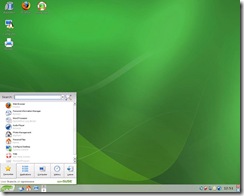
Other screenshots
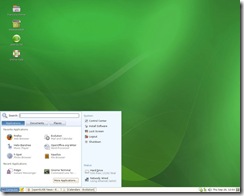
gnome-desktop The GNOME Desktop KDE-desktop The KDE Desktop
Cube-atlantis Compiz-Fusion Cube Atlantis Plugin Animation-burn Compiz-Fusion Burn Animation

Monday, June 16, 2008

Improving Java Web Performance With C/C++

From the very first day that I had been working on OpenMRS, I felt that OpenMRS ran a little slower than I expected. Probably the old OpenMRS demo server openmrs_logo adds to the slowness. Later, when we were discussing about how Hibernate sessions should be implemented in OpenMRS and Java Web Apps in general, I was again brought to think about OpenMRS performance.

Since OpenMRS community generally implements on Tomcat, my main aim was to improve performance of the servlet container. One simple way to improve performance, which I had heard of earlier was the use of Apache has the “Apache Portable Runtime” (APR) project with Native Libraries. The APR uses native libraries with JNI to improve the server performance on a specific platform. In short, Tomcat is given some local OS steroids and currently works on Windows and POSIX-based systems.

The APR library is somewhat an irony for 2 main reasons:

  • I’ve heard this argument that Tomcat runs faster than Apache in some benchmarks. These guys argue that Java is faster than C/C++ and hence Tomcat wins.
  • On the other hand, APR and Native Tomcat uses JNI code written in C/C++ to improve performance.

Either ways, I think generalizing the above statements isn’t correct and hence I went forward to see if APR does improve performance of our web application. I used Windows Vista and Tomcat 6.0.16 for the test and Windows is probably what most OpenMRS implementations use. You can download the native binaries for Windows from here & APR from here.  Add the extracted files to Path and place the tcnative-1.dll in APR’s bin folder.

And the first thing I observed tomcat started little faster and even OpenMRS initialized slightly faster.

 
Before
After
OpenMRS initialization 192ms 183ms
Tomcat Server Startup 12892ms 11449ms

But startup improvement is not all. We want to check how good the application is performing and Apache Benchmark (ab) is a good way to test static content, but isn’t very good at dynamic content... I wanted to use Faban after I remembered Scott Oak’s writeup from last year, but couldn’t find enough time for the testing with Faban...

Instead, I used JMeter which is a nice generalized test that replicates how a user interacts with the web application. You can send POST requests with parameters and also simulate your test plan, just like a normal web user would use your application. Here are some of the results on different OpenMRS pages with 10 concurrent requests and average of 3 runs on my dual core server:

 
Without APR
With APR
OpenMRS homepage 225.7ms/request 185.7ms/request
User Login 1464.2ms/request 1185.3ms/request
Find patient 95ms/request 80ms/request
Patient dashboard 2887.6ms/request 1984.3ms/request

My first observation was that the first run on the test completely sucks. The later runs improve performance drastically. This is because of tomcat 6 has good caching mechanism and was shown with or without APR. Another thing I observed was that beyond 500 concurrent users the application was crying and tomcat was hanging up. APR or no APR didn’t matter much... I’ve yet to analyze why it wouldn’t scale any further, but must be something related to Hibernate sessions. May be some experienced developer can look into these figures, perform some more specific benchmarks and improve scalability.

Monday, June 9, 2008

Second Week For OpenMRS Coding

Last week was really a hectic time for me and hence haven’t found much time to code or blog. A close friend Debojit is in a new Idol-like reality show called “Jo Jeeta Wohi Superstar” and we are back in the publicity campaign like we were when last time he won Saregamapa Challenge 2005. The good thing is that I’m still writing code (to game the online voting), but not exactly for OpenMRS… But I did some work on OpenMRS and nearly had a deliverable basic patient search.

The patient search on my Registration Module has taught me a few important lessons. OpenMRS’s web application uses the Model-View-Controller (MVC) through Spring Framework. I have a controller which calls some methods from the OpenMRS API and retrieves patient information. Normally, the practice is to return values from the Controller to the View (JSP here) is through the use of a bean’s getter methods. This means that the Controller sets the Bean object with the values from the database and the View (i.e. JSP) page uses to the getter methods to get values.

But instead of a bean, I tried to return a double-dimensional array and got stuck with the following... I’m still wondering why I can’t access length variable of the array. Look at the code snippets below and may be I’ll get some hints from you!!

RegistrationController:

protected String[][] formBackingObject(HttpServletRequest request) throws Exception {
        String[][] searchedPatients = new String[0][0];
        if (request.getParameter("phrase") != null) {
            List<Patient> patients = Context.getPatientService().getPatients(request.getParameter("phrase"));
            searchedPatients = new String[patients.size()][8];
            for (int i = 0; i < patients.size(); i++) {
                searchedPatients [i][0] = (patients.get(i)).getPatientIdentifier().getIdentifier();
                searchedPatients [i][1] = (patients.get(i)).getGivenName();
                searchedPatients [i][2] = (patients.get(i)).getMiddleName();
                searchedPatients [i][3] = (patients.get(i)).getFamilyName();
                searchedPatients [i][4] = String.valueOf((patients.get(i)).getAge());
                searchedPatients [i][5] = (patients.get(i)).getGender();
                searchedPatients [i][6] = (patients.get(i)).getTribe().getName();
                searchedPatients [i][7] = (patients.get(i)).getBirthdate().toString(); 
        } 
        log.info("# of patients found: "+searchedPatients.length); 
        return searchedPatients;           
        }
        return searchedPatients; 
}

This String[][] called searchedPatients can be accessed as registrationForm according to my moduleApplicationContext mapping. But in my JSP page when I try to access the .length variable of the registration form there seems to be a problem.

registrationForm.jsp

<c:forEach var="row" begin="0" end="${registrationForm.length}">
    <tr>
        <td>${registrationForm[row][0]}</td>
        <td>${registrationForm[row][1]}</td>
        <td>${registrationForm[row][2]}</td>
        <td>${registrationForm[row][3]}</td>
        <td>${registrationForm[row][4]}</td>
        <td>${registrationForm[row][5]}</td>
        <td>${registrationForm[row][6]}</td>
        <td>${registrationForm[row][7]}</td>
    </tr>
    </c:forEach>

I get an error where the JSP page throws a NumberFormatException for “length” input. Now I was baffled why it was trying to take “length” as input string, when it should have taken the length of the array as its input.

Anyways, with the Bean the current patient search is working, but I have to get back to coding quickly and build a good UI, for which I’m using jQuery. With jQuery I plan to implement AJAX and also some simple but useful UI improvements. Next in-line is searching using the barcode reader and a lot more left to do… Hopefully, I’ll do more!!

Friday, May 30, 2008

Barcode Scanner for OpenMRS

The work on the OpenMRS module continues and I have just got a little more excited because of the barcode scanner that I just purchased. The Barcode Scanner is required to test the working of the module, which will be able to identify patients based on barcodes present on patient identity cards. The Barcodes will help solve problems where patients don't give correct information leading to duplicate records for the same patient.

The Barcode Scanner that I purchased is Argox AS-8000, near-range CCD scanner. Detailed specification on the product can be found here. I tested the scanner and it was able to detect a variety of barcodes. Its a low-end CCD scanner, but it detected nearly every thing I put in front of it. Even round jars and bottle!! Brian advised me not to spend much and hence I brought this open-box one. So was in a hurry to test, coz they have just 3-day testing warranty on these stuff.

Screenshots of the Barcode Scanner:

Scanner-1

Scanner-2

The Barcode Scanner works just like a keyboard and when scanning, the OS feels someone typed in from the keyboard. The scanner works on the PS/2 port of the keyboard and not on the PS/2 port of the mouse. My keyboard is connected to the PS/2 port and hence probably I'll buy a USB converter which will enable me to connect the scanner to the USB port. The Barcode Scanner won't be required by me until I reach the end of the search routines of the registration module... I'm still stuck on getting multiple patients from a search query!!

Wednesday, May 28, 2008

OpenMRS Registration Module Begins

The Google Summer of Code 2008 timeline shows that we start coding from 26th May and I've already started coding. Before the coding there was thislogo "Community Bonding Period", and I'm not sure if I've done bonding with my community members, but sure I've been talking with my mentor Brian... and he's really a cool guy! We talked a lot about technical as well as personal stuff. He invited me to this house virtually through Google Street View and it was really nice talking to him. I bonded with him well !!

In the meantime, I have been pondering and working on the ideas for the OpenMRS Registration Module.  My Introductory post on OpenMRS showed a lot of interest from friends and got a lot of questions from colleagues. Thanks to r0bby, who told me on the IRC about SoC and talked about contributing to OpenMRS.

The work on the Registration Module has begun and I created the Registration Module documentation page. It is still incomplete on the UML diagrams, but is good enough to show the workflow through the Use-case. Brian and I have also worked on my project plan and have made a timeline that I need to follow. The timeline is a good motivator and will be putting that up on the project page as well. OpenMRS and open-source developers in general, advocate the idea of quick and early commits. OpenMRS shares the Story of FLOSS to make this idea stand out. I'm still trying to get into this mould of development, coz I mainly advocate the planning/design approach. You take twice as much time to design compared to code, but I need to get agile and work on the Bazaar way of open-source. More eyes... More interest and faster working deliverable!!

With this in mind, I tried to commit the basic module changed to registration module, but it gives me a 403 error:

Error: CHECKOUT of '/!svn/ver/4193/openmrs-modules/registration': 403 Forbidden (http://svn.openmrs.org)

I can login through the trac web page. So probably some issue with either my SVN client (TortoiseSVN) settings... or something on the SVN server side!!

Friday, April 25, 2008

Summer With OpenMRS... & that Life is not FREE

I haven't blogged for a few days and I haven't been able to follow the tech news and follow-up on emails. But today, I feel a bit relaxed and probably have something to share. I haven't talked about myself on this blog, but today may be a little bit of philosophy and personal adventure will come through this post.

I had applied to the Google Summer of Code 2008 for a summer job and I will be working with OpenMRS. To all my students, now you have to believe I'm a student... and Moksh guys/gals I'm still your "MEAN" software architect ;-). Just that along with my services at Moksh, I'll also be contributing code to open-source, and consider this post to be an introduction to OpenMRS...

OpenMRS is a free, open-source, Medical Records System targeted towards developing countries and mainly implemented in HIV/AIDS health-care. You can read the Overview of OpenMRS and I think the OpenMRS community has already done a decent job at its own introduction. Instead, I will talk to you why I'm contributing to OpenMRS.

I realized pretty early in my life that "Humans fear death". Although death is the only sure thing about life, we often forget its quintessential for life. But probably its the fear for suffering that's more deathly than death itself. I wanted to be a doctor after I passed out of high-school, just for the sake of treating people and making them realize the beauty of life. I dropped out to prepare for the State Medical entrance exams and it was in this year of self-turmoil that I learnt from a spiritual guru that we can change lives only through what we loved in life. I realized then, that I've loved computers and programming all my life and that my karma couldn't have been more appropriate to hug my love for computers as tightly as I could. In the following years, I learnt new paradigms of programming, new languages and better ways to write code. I'm still learning and pray to God that the learning never ends...

With the same love, I hope to contribute code to OpenMRS, in a pursuit that it helps change lives. My summer job is to make a "General Registration Module" and you can read the details here. My mentor for this project is Brian McKown and hopefully I'll follow his guidelines and be useful to the OpenMRS community. And along with the fun of contributing, Google pays me $4500 + certificate + Google swag for the 3-months (i.e. if I complete the project successfully) and $500 to my mentor.

I don't think the project I'm doing at OpenMRS is a life-changing contribution by itself, but I hope its a beginning. If we all do our minuscule contribution to a social cause, it can really change lives. We have taken life and what life has given us so lightly that we don't respect it. Our skills may be completely different, but its the desire that can help. Although OpenMRS is FREE, life is not FREE. Give back something to the world, which has given you the skills.

I will be regularly writing about my OpenMRS Module and OpenMRS in general. Please look into the project, contribute and offer advice to me on the project.